
Fuel That Follows Your Training Plan
📈 Consistent Fuel + Best Value
Choose optimal delivery frequencies to support your training plan and save up to 30% off.
⏭️ Fully Flexible
Weekly during heavy training blocks; Monthly during steadier phases; 6–12 weeks in off-season; Different products on different schedules (eg. GEL 2 weeks, ISO monthly); Pause, skip, or adjust anytime
Boringly Reliable
It’s all about keeping your fuelling boringly reliable in the background, so you can keep pushing the fun (and painful) stuff in training.
One-Time vs. Planned Subscription
One-Time Purchase
- Pay full price every time
- Risk running out mid-training block
- Last minute panic buying
- Inconsistent nutrition timing
- No extra reward points
Planned Subscription
- Save up to 30% on every order
- Pause, skip, or cancel anytime
- No panic buying & less stress
- Consistent fuel aligned to your training plan
- Double Recharge Reward Points
Ready for consistent Fuel?
Join thousands of athletes who never run out of fuel. Start your flexible subscription plan today.
Start NowNutrition Plans Successfully Matched to Training Schedules
How to Subscribe & Save
Choose your products
Choose your products & select "Save - Subscribe" instead of one-time purchase.
Set your schedule
Pick your delivery frequency to match your routine- 1 Week, 2 Week, ! Month or other.
Enjoy & save +30%
Checkout as normal. Receive automatic deliveries, the best value, and adjust timing/ quantity anytime in your account.

Already have a Subscription?
Click here to request a link, or login to your account for more.

Managing your Subscription
Edit, cancel, skip or pause at any time - it's easy!
How?
Log In here > Go to Account > Order History > Manage Subscription
Or request a link using the button below.
Subscribe & Save Now
Click on your product, choose subscribe & save, choose the delivery frequency.
Frequently Asked Questions (FAQ's): Subscribe & Save
Q: Can I add products to my Subscription?
Q: Can I skip my next subscribe & save order?
Q: Can I pause my subscription?
Q: Can I edit my subscription or change the products?
Q: How do I cancel my subscription?
Q: Can I combine a normal order with VIP/ Subscribe & Save items?
Q: Will my Subscription "Auto-renew"?
Q: Can I Subscribe & Save to multiple products?
Q: What are the benefits of KMC VIP Subscribe & Save?
Q: What is Subscribe & Save?
Q: Subscriptions: How do I change my payment if I'm using Shop Pay?
Q: Why can't I cancel my subscription 24 hours before dispatch?
Here's the top Subscribe & Save products, chosen by athletes
Save up to 30%
-
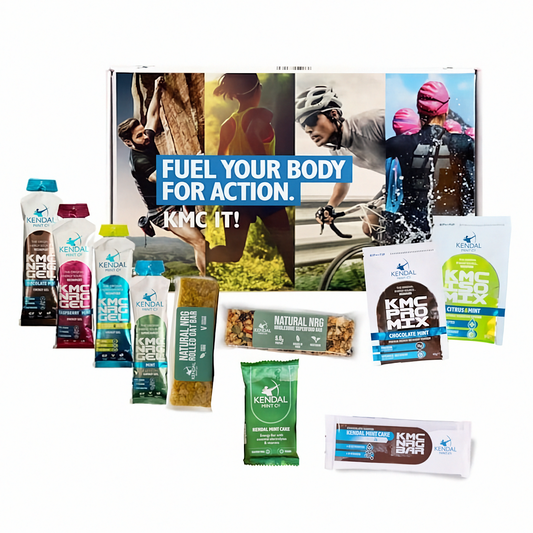
Action Pack - Find Your Fuel (Free UK Next Day Delivery)
WhenDuringPrecio habitual A partir de £19.99Precio habitual£25.19Precio de oferta A partir de £19.99Oferta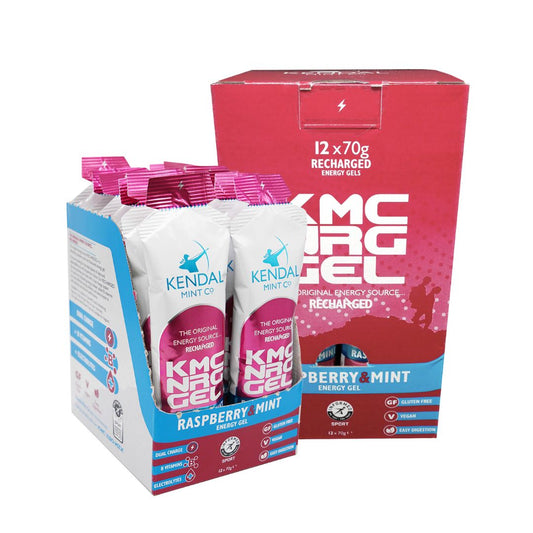
KMC NRG GEL Raspberry & Mint Energy Gel 70g
 VeganGluten-FreeWhenDuring27.0g / 70g Carbs120mg / 70g ElectrolytesPrecio habitual A partir de £10.99Precio habitualPrecio unitario £1.67 cada artículo
£12.00Precio de oferta A partir de £10.99Oferta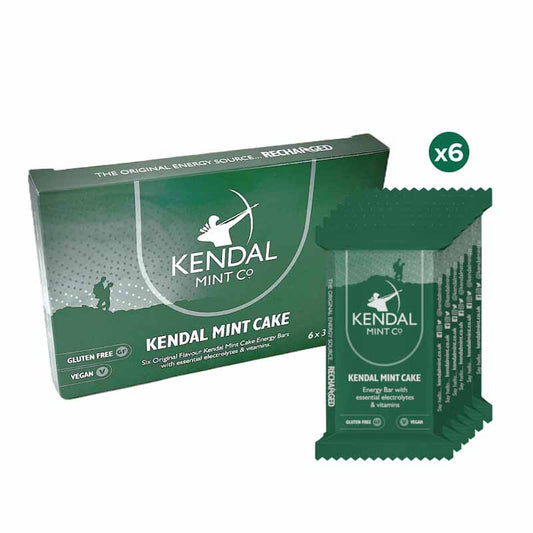
KMC NRG BAR Kendal Mint Cake Pocket Energy Bar - Original
VeganWhenDuring34.44g / 35g Carbs110mg / 35g ElectrolytesPrecio habitual A partir de £7.99Precio habitualPrecio unitario £1.33 cada artículo£8.94Precio de oferta A partir de £7.99Oferta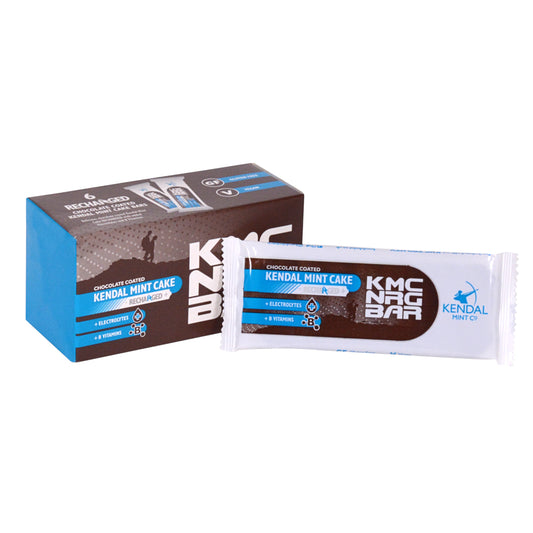
KMC NRG BAR Chocolate Coated Kendal Mint Cake Recharged
VeganWhenDuring48.25g / 50g Carbs65mg / 50g ElectrolytesPrecio habitual A partir de £9.99Precio habitualPrecio unitario £1.67 cada artículo£10.80Precio de oferta A partir de £9.99OfertaSubscribe & Save Now
Click on your product, choose subscribe & save, choose the delivery frequency.
- Al seleccionar una opción, se actualiza toda la página.
- Se abre en una nueva ventana.